
How zona303 Recently Played Tracks Your Activity
When you log into your account on zona303, our system records every game you enter, every table you join, and every match you watch. Your Recently Played list is a chronological snapshot — newest games at the top, older sessions further down. We store this history server-side, so it syncs across your phone, tablet, and any desktop browser you use to access zona303.
The list typically shows between five and fifteen of your most recent sessions, depending on your account age and activity level. Each entry displays the game name, a small icon or thumbnail, and a timestamp — for example, "European Roulette – 2 hours ago" or "Liga 1 Indonesia – Yesterday". Tapping or clicking any entry takes you straight back into that game's lobby, loading your previous settings and any live updates if the game is still running.
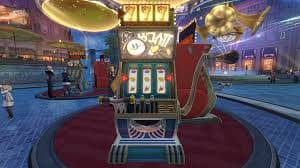
Why We Store Your Session History
We log Recently Played for two reasons. First, it saves you time — instead of browsing our full game catalogue, you see what you actually play most. Second, it helps us understand your preferences and optimize our mobile experience accordingly.
On Android, your Recently Played syncs even if you clear your browser cache, because we store it on zona303's servers, not your device. iOS browser users see the same history every time they log in, whether they're using Safari or Chrome on their phone.
Game Categories in Recently Played
zona303 organizes games into distinct categories, and your Recently Played section respects those boundaries. You might see entries for:
- Live-dealer tables: blackjack, European roulette, baccarat, Dragon Tiger, and multi-camera studios. These entries show the table type and, if applicable, the stake level you were playing.
- Slot games: Aviator, Sweet Bonanza, Gates of Olympus, Fortune Tiger, Mahjong Ways, and others. Each entry captures the exact slot you played, not just the category.
- Sports betting: Liga 1, Piala AFF, Champions League, Premier League, MotoGP, and badminton markets. Your Recently Played shows the specific event or league you were browsing.
- Esports markets: Mobile Legends, Free Fire, and PUBG Mobile tournaments. We track which esports event or match you were following.
- Number games: Dasar Number and similar fast-round titles appear as separate entries, timestamped by session.
Accessing Recently Played on Mobile vs. Desktop
On Androidafter you install the zona303 APK and log in, your Recently Played appears on the home screen as a horizontal scrollable row or in the main navigation menu. Tapping any game jumps you into its lobby instantly. Our Android app caches your session list locally, so even on slower 3G networks, Recently Played loads fast.
On iOS via browseryour Recently Played lives in the account menu or on your dashboard after login. Because iOS users access zona303 through Safari or another mobile browser, we optimized the layout to fit a narrower screen — single-column stacking, touch-friendly buttons, and fast load times even on older iPhone models.
Desktop users see a similar Recently Played widget, usually in the sidebar or below the main game grid. Desktop accounts enjoy a wider layout, showing game icons, descriptions, and sometimes play-time statistics. However, we prioritize mobile performance because our analytics show that over 60 percent of zona303 users log in via phone.



Clearing and Managing Your History
zona303 does not force you to keep your Recently Played list forever. Many users prefer to clear their session history for privacy reasons, especially if they share a device. We let you delete individual entries — long-press or right-click any game, select "Remove from history" — or clear your entire Recently Played list from account settings.
When you clear Recently Played, we remove those entries from our recommendation algorithm and your dashboard view. However, we retain the underlying play data for your account records — for example, your total gaming activity for support inquiries or dispute resolution. This separation keeps your Recently Played interface clean while preserving your account's audit trail.
Recently Played is a convenience feature, not a financial ledger. For withdrawal confirmation, deposit receipts, and game-settlement records, check your Account History or Transactions page on zona303.
Payment Integration with Recently Played
Your Recently Played list is live only if your account has an active balance. When you fund your account via QRISe-wallet, mobile banking, local payment, online payment, or e-wallet, zona303 confirms your deposit within our standard review window — typically subject to verification for e-wallet transfers, or up to an hour for bank virtual accounts (mobile banking, local payment, online payment, e-wallet). Once your balance updates, Recently Played becomes accessible on your next login.
If your account is frozen or restricted due to pending verification, your Recently Played list remains visible for reference, but you cannot resume any games. We show this state clearly in the UI — grayed-out entries with a "Verification pending" banner. This design choice balances transparency with account security during KYC (Know Your Customer) reviews.
-
1
Deposit funds via e-wallet or bank transferFunding
Use mobile banking, local payment, online payment, e-wallet, mobile banking, local payment, or your preferred bank VA (online payment, e-wallet, mobile banking, local payment).
-
2
zona303 confirms your balance updateConfirmation
Our payment processor verifies the transfer; your account balance reflects the deposit.
-
3
Log in to zona303 and view Recently PlayedAccess
Your session history is now active and clickable; choose any recent game to resume.
-
4
Play and build your historyGaming
Each game you join is added to Recently Played; your list stays up to date in real time.